
 QuoVeo
Quote. Signed. Paid.
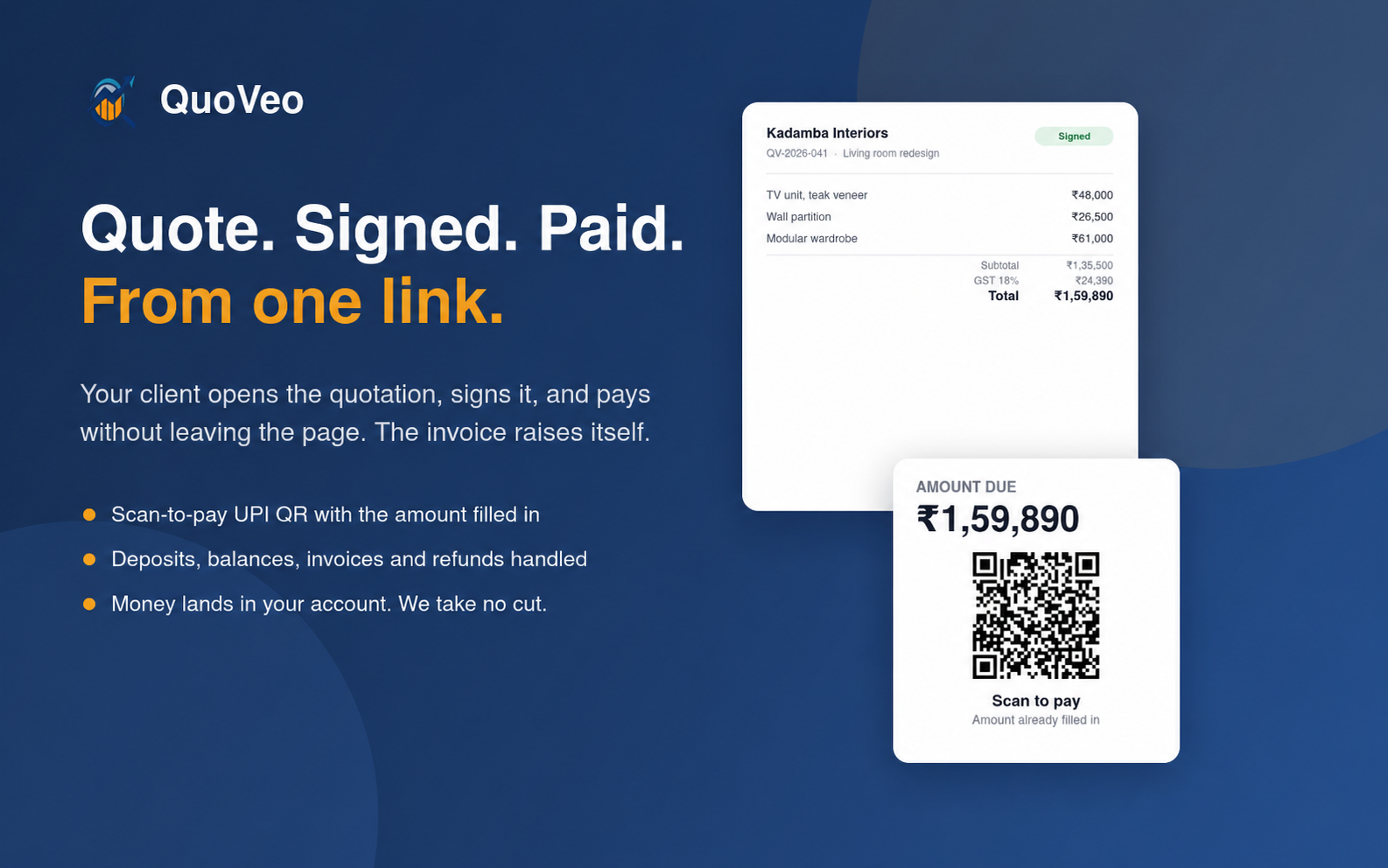
Build a quotation, send one link, and let your client sign it and pay without leaving the page. Deposits, balances, invoices and refunds are handled for you. Payments go directly to your bank account — QuoVeo takes no cut.
Built for Businesses that quote before they invoice — interior designers, event and wedding planners, tour operators, photographers, agencies and contractors.
The problem
Quoting is the fast part. Everything after it is what drags. The quote goes out as a PDF, then silence, you have no idea if it was even opened. A change comes back, so you dig out the file and start version seven. They finally say yes, and now you're chasing the advance by phone, raising the invoice by hand, and hoping the numbers still match. When a job gets cancelled, you're asking for bank details over WhatsApp and transferring the refund from memory.
What QuoVeo does
QuoVeo turns the whole thing into one link. Your client opens a branded quotation, signs it digitally, and pays on the same page, by scanning a UPI QR that already has the exact amount in it. You're notified the moment it's opened. The invoice raises itself and stays accurate as deposits, balances and refunds come in. Revise a quote and the link, invoice and payment history carry over. Payments land directly in your own bank account; QuoVeo never holds your money and takes no cut of it.
What you get
Scan to pay, amount already filled in
Quote, signed and paid in one link
Deposits, balances and part payments
Revise a quote without starting over
Refunds handled properly
Every amount tracked, however it arrived
Questions, answered
Does QuoVeo take a cut of my payments?
Do my clients need an account?
How does the UPI QR work?
Can I take a deposit and collect the balance later?
What if the client asks for changes after I've sent it?
How do refunds work?
Does it handle GST?
Is it priced per user?
What happens to my data if I cancel?
Want to see QuoVeo on your own data?
Book a 30-minute walkthrough with the team that built it.
Book a walkthrough